Five Habits That Cut Your Puzzle Completion Time
Published · updated
Even when people solve the same picture at the same difficulty, completion times differ from person to person, and even for one person they swing quite a bit from game to game. That difference often comes less from how fast your hands are than from the habits you solve with. Before adjusting your habits, first understand what the record is actually measuring.
The clock starts when you move the first piece
The clock runs from the moment you move the first piece, not from the moment you open the puzzle screen. Time spent reading about the work, choosing a difficulty, and turning on the preview to study the picture is not counted. The hint button and keyboard movement also count as a first action and start the clock, so it’s better to look as long as you need before touching anything. If you switch to another tab, the clock stops on its own, and if you step away briefly from the same screen, press the pause button. While paused, the picture is hidden and the pieces can’t be touched.
The progress indicator on screen is also easy to misread. This number is not the number of pieces placed but the share of connections made between neighboring pieces. A 24-piece puzzle on a 4×6 grid has 38 connections in all. So 50% progress does not mean half the pieces are in place. Instead, if you note the time at the same point, such as “50% progress at so many minutes and seconds,” you can compare games partway through.
Five habits
-
Look at the finished picture thoroughly before you start. Spending just 10 to 20 seconds with the preview on gives you a much quicker sense of “where this goes” when you pick up a piece. This time isn’t counted in your record, so there’s no reason to skimp on it. Even so, quite a few people skip it in their hurry.
-
Sort pieces by what they’re for: edges, color blocks, and the ambiguous rest. Just dividing them into these three cuts down the time your hand spends wandering. The details are in the order for sorting pieces. On Easy, with around 20 pieces, sorting can take more time than it saves. Sorting usually pays off from Normal difficulty up.
-
Choose a strategy that fits the picture. For pictures where the scenery differs along all four sides, start with the edges; for pictures where the subject fills the frame right to the edge, start with color blocks. The criteria for this decision are explained in edge strategy. Keep in mind too that even in the same picture, the edge makes up around two-thirds of the whole on Easy but only a little over one-fifth on Expert.
-
When you’re stuck, move on without regret. If there’s no progress in one area for more than three minutes, leave it for a while and go somewhere else. Measure the three minutes with the time display on screen. Often, once the surroundings are filled in later, there are more clues for the gap and it comes together more easily. Specific methods are collected separately in what to do when you get stuck.
-
Time yourself on the same picture. Pick one picture you like and solve it several times at the same difficulty. Each time you finish, the results page shows your time, and if you beat your previous best, it tells you it’s a new record. How to compare in a meaningful way is covered below.
It isn’t one of the five, but zoom is a surprising time sink. While zoomed in, every time you bring over a distant piece you have to drag an empty area to move the view. Use zoom only to compare candidates, and when moving pieces, go back with the “actual size” button first; it’s faster.
Solving Grapevine in the Wind again on Normal
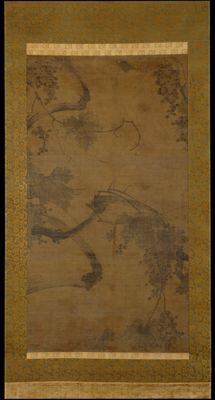 Solve this painting as a puzzle → about 5 minutes on Easy
Records are saved separately for each combination of work and difficulty. When you solve Grapevine in the Wind on Normal, you get the same 5×9 grid of 45 pieces every time, so times can be compared directly. The only thing reshuffled each game is where the pieces are laid out. Conversely, even at the same “Hard,” different works have different piece counts. Still Life with Silver has 88 pieces and The Defense of Champigny has 112. That’s because the set piece count for each difficulty varies within ±25% to fit the picture’s proportions.
There are also two things you have to decide for yourself. One is hints. Games where you used hints are saved in the record the same way, with no mark, and are judged for new records too. If you want to compare only games without hints, you have to keep that rule yourself. The other is memory. When you repeat the same picture, some of the time you save comes from having memorized the picture. To see whether a habit really works, solve a different picture with similar proportions at the same difficulty and time that. Records are kept only in this browser, so clearing site data erases them too.
There’s no need to try to learn all five at once. For this game, keep just one in mind as you solve: look at the preview 20 seconds longer, or move on after three minutes stuck. Even that one change makes the numbers move.
Frequently asked questions
When does the puzzle timer start?
It starts when you move the first piece, not when you open the puzzle screen. Time spent reading about the work or studying the picture with the preview is not counted in your record.
Does 50% progress mean half the pieces are placed?
No. The progress indicator is not the number of pieces placed but the share of connections made between neighboring pieces. A 24-piece puzzle on a 4×6 grid has 38 connections in all.
Can a game where I used hints set a new record?
Yes. Games with hints are saved the same way, with no mark, and are judged for new records. If you want to compare only games without hints, you have to set that rule for yourself.